
Roobet Login and Mirror: Access to Your Account
Roobet login works with an email and password or via Google, Steam or MetaMask, and once 2FA is enabled, with a six-digit code as well. This page explains how to log in and register, how to reset your password, why an account gets temporarily locked and what to do when the site will not open. It also covers the operator's backup addresses: where to get one and how to tell it apart from a phishing copy in a minute.
Contents
- Roobet Login Step by Step
- Roobet Casino Registration
- Password Recovery and 2FA
- Why You Cannot Log In to Roobet
- Roobet Casino Mirror: What It Is and Where to Get It
- Genuine Mirror or Phishing
- Roobet Casino Verification After Login
- Questions About Login and Mirrors
- Summary
This page describes logging in to a casino account, but the site itself does not process logins or accept money. Some buttons are affiliate links to the operator's site. The content is for adults aged 21 and over.
Roobet Login Step by Step
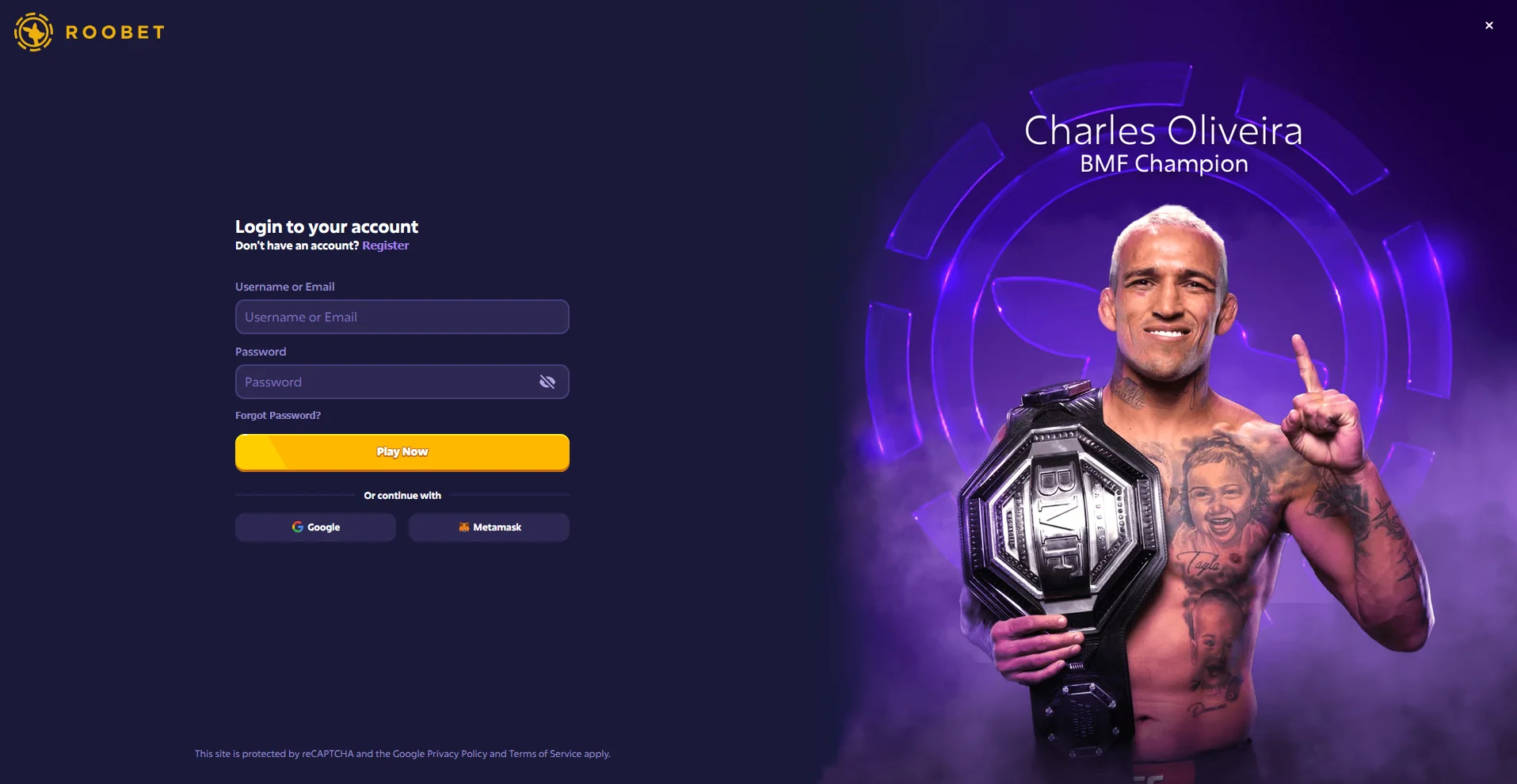
Login is the right-hand button in the top bar, with Register to its left. The login window appears on the current page without a reload.
- Click Login.
- Enter the email and password you set during registration.
- Or choose Google, Steam or MetaMask if you created the account through one of them.
- Pass the CAPTCHA check.
- Enter the 2FA code if two-factor protection is enabled.
You cannot be logged in on two devices at once: a new login ends the previous session. The same email and password work on your phone, as there is one profile for all devices.
Roobet Casino Registration
If you do not have an account yet, the same button in the header opens the sign-up form. It is short:
| Field | What to enter |
|---|---|
| Username | a nickname with no personal data |
| an email you always have access to | |
| Password | a unique, strong password |
| Referral code | if you have one |
| Checkboxes | age and acceptance of the rules |
The username cannot be changed after the account is created, and the rules forbid a second profile. After registration, Rakeboost +10% applies for 24 hours — what it gives and what other promotions exist is described on the Roobet bonus and promo codes page.
Password Recovery and 2FA
A password reset goes through email and takes a few minutes:
- In the login form, click Forgot your password.
- Enter the account email and click Continue.
- Open the email and copy the recovery code.
- Enter the code and your new password twice.
If the email has not arrived, check your Spam folder and that the address is correct. You can change your password from within the account in your profile: the Security section, the new password twice and the confirm button.
Two-factor authentication is enabled in the same place: Enable 2FA, scan the QR code in Google Authenticator or Authy and enter the six-digit code. Store the secret key separately — you will need it if you lose your phone.
Why You Cannot Log In to Roobet
Usually what stops you from logging in is not a technical problem at the casino but one of the simple reasons below.
| What you see | Why | Solution |
|---|---|---|
| "Incorrect password" | Caps Lock or a different keyboard language | enter it again carefully |
| Account temporarily frozen | several failed attempts | write to the chat |
| No password | signed up via Google or Steam | choose the same service |
| 2FA code not accepted | the phone clock is off | turn on automatic time |
| Site will not open | the domain is unavailable | use a mirror |
After several wrong passwords, Roobet temporarily freezes login. Do not keep guessing — contact support via live chat or email, and access will be restored after a check.
Roobet Casino Mirror: What It Is and Where to Get It
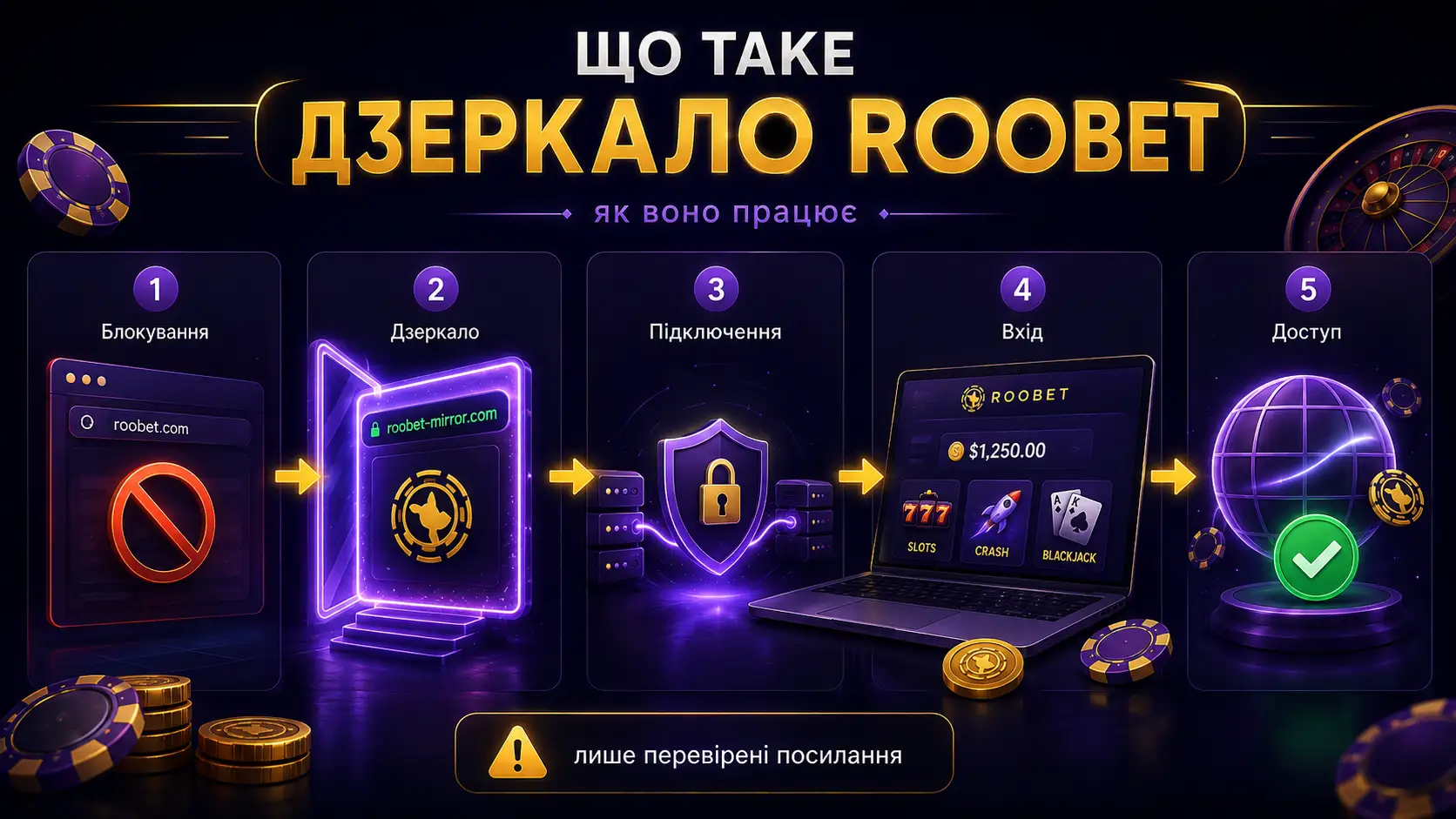
Think of a mirror as a spare entrance to one and the same casino. The account, balance, rakeback and level stay on the same servers, so you log in there with your usual details and do not make a new deposit.
The operator publishes the list of backup addresses itself: the site footer has an Official Mirrors link. Other reliable sources of the address:
- the support live chat;
- the casino's official accounts on X, Instagram and Telegram.
It is better not to open links from search ads, comments and pages that collect "mirror lists": password-stealing clones usually hide there. A backup address does not change the operator's rules — the country restrictions from the Terms of Service apply at any address.
Genuine Mirror or Phishing
A phishing clone can borrow the Roobet look, yet a few details almost never match.
| Sign | Genuine mirror | Phishing copy |
|---|---|---|
| Address source | Official Mirrors, chat, social media | ads, comments |
| Footer | Raw Entertainment B.V., 8048/JAZ | no operator or number |
| Licence seal | links to the validator | an image without a link |
| After login | your old balance and history | "error", new deposit |
| Bonus | codes worth €0.15–0.50 | "$500 with no conditions" |
Example: after logging in at a genuine backup address your usual balance shows up, for instance 152 USDT, along with your latest bets. A zero balance plus a request to "verify the profile by depositing $50" means a clone — close the tab and change your password on the main site.
Example: a copy promises a $500 promo code. The casino's official codes give €0.15 to €0.50, so the difference is a thousandfold or more, and that alone is a sign of a fake.
Roobet Casino Verification After Login
The first login does not yet unlock every feature. To withdraw funds and use bonuses you need to pass KYC verification — four levels of checks:
- form: name, date of birth, country, address, phone;
- document: passport, driving licence or ID card;
- proof of address no older than 6 months;
- source of funds — at the operator's request.
Before verification, demo games and the support chat are available. How the cashier, limits and payout times work is covered in the Roobet Casino review.
Questions About Login and Mirrors
How do I log in to Roobet with Google?
In the Login form, choose Google and confirm the account. You do not need a casino password for this if the profile was created through Google.
Do I need to register again on a mirror?
No. A backup address opens your existing profile, so enter your usual email and password — your balance and rakeback will be kept.
Where can I find a working Roobet mirror?
Via the Official Mirrors link in the site footer, in the support live chat or on the official X, Instagram and Telegram accounts.
Why was my Roobet Casino login blocked?
After several failed attempts, login is temporarily frozen. Write to the support chat or email — access will be returned after a check.
Can I play from two devices at the same time?
No, a new login ends the previous session. There is one account for all devices, but only one active session.
Summary
Logging in to your account takes a few seconds: email and password or Google, Steam, MetaMask, plus a 2FA code for protection. If the main address will not open, take a mirror only from Official Mirrors, the chat or the official social media accounts. The plus is one account across all addresses and devices; the minus is that a backup address does not lift country restrictions. How to play from a phone is explained on the Roobet app page. It is also useful to know the site rules and the principles of responsible gambling.